<?xml version="1.0" encoding="utf-8"?><feed xmlns="http://www.w3.org/2005/Atom" ><generator uri="https://jekyllrb.com/" version="3.10.0">Jekyll</generator><link href="https://speedyvelcro.com/feed.xml" rel="self" type="application/atom+xml" /><link href="https://speedyvelcro.com/" rel="alternate" type="text/html" /><updated>2026-02-28T22:14:31+00:00</updated><id>https://speedyvelcro.com/feed.xml</id><title type="html">SpeedyVelcro</title><subtitle>SpeedyVelcro&apos;s personal website</subtitle><entry><title type="html">SV Mod Loader and Future Plans</title><link href="https://speedyvelcro.com/blog/2026/02/28/sv-mod-loader/" rel="alternate" type="text/html" title="SV Mod Loader and Future Plans" /><published>2026-02-28T22:14:00+00:00</published><updated>2026-02-28T22:14:00+00:00</updated><id>https://speedyvelcro.com/blog/2026/02/28/sv-mod-loader</id><content type="html" xml:base="https://speedyvelcro.com/blog/2026/02/28/sv-mod-loader/"><![CDATA[<p>I haven’t released any games lately, partly because I’ve been busy, but
also because I plan to create a set of reusable UI elements for my
future games to save dev time in the long run. One of these is SV Mod
Loader, releasing v1 today - a GUI and framework for loading mods in
<code class="language-plaintext highlighter-rouge">.pck</code> format that you can include in your Godot Engine games.</p>

<p><a href="https://github.com/SpeedyVelcro/sv-mod-loader">Get it on GitHub!</a></p>

<p><img src="/assets/images/blog/2026-02-28-sv-mod-loader/screenshot.png" alt="Screenshot of SV Mod Loader" /></p>

<!--more-->

<p>When I made <a href="/games/advanced-invasion">Advanced Invasion</a> I found
myself spending an inordinate amount of time developing and polishing
the various UI elements towards the end. Partly, my own perfectionism
is to blame. Despite Advanced Invasion being - by design - an
incredibly simple game, I wanted to include all sorts of bells and
whistles including an achievements system, jukebox, and reasonably
fully-featured options menu (although I neglected to include controls
settings in the end because it was already taking too long (and there’s
also an about menu for license compliance btw but that’s not as fun)).</p>

<p>These kinds of periphiral elements - at least I believe - add a lot of
substance to a game. It gets even better when you include stuff like
level editors, concept art menus, etc. Consequently, I’m quite keen on
including at least a jukebox, achievements, and options screen in all
my future games.</p>

<p>So, to save time, I want to create these various elements in advance
so I can just drop them into future games. One of the first I wanted to
tackle - primarily because it’s the most difficult - is a mod loader.</p>

<p>Now, this probably sounds a bit OTT considering that
<a href="https://github.com/GodotModding/godot-mod-loader">a perfectly good option already exists</a>,
and in fact I would recommend most people use that option instead. But,
for an upcoming project I may or may not do, I’d like to have a few
specific features. Specifically, I want a good way of distributing
required asset packs separately from the source code, and this might
as well hook into a modding system. This is good if, like me, you’re an
open source game developer and, on occasion, you need to deal with
proprietary assets.</p>

<p>Consequently, one of the main selling point of SV Mod Loader is the
ability to configure checksums for official or required mods and
verifying that you have the real deal before launching the game. Other
than that, the system is pretty rudimentary. It just uses the
<a href="https://docs.godotengine.org/en/stable/tutorials/export/exporting_pcks.html#opening-pck-or-zip-files-at-runtime">normal methods</a>
for loading <code class="language-plaintext highlighter-rouge">.pck</code> files.</p>

<p>Other than that there’s a couple exxtra bells and whistles. The UI
includes an inbuilt load order editor, with the ability for uses to
create and manage multiple different mod lists. There’s an about menu
you can use to show important information e.g. licenses before
launching the game, and you can customise a lot of elements of the mod
loader through exported variables.</p>

<p>Overall, I don’t really expect this to be that useful to anybody. There
are much more stable and mature alternatives out there, after all. But,
if your needs just happen to be similar to mine, you might find it
interesting. In that case, it’s open source and you can get it
<a href="https://github.com/SpeedyVelcro/sv-mod-loader">on GitHub</a>.</p>]]></content><author><name>SpeedyVelcro</name></author><summary type="html"><![CDATA[I haven’t released any games lately, partly because I’ve been busy, but also because I plan to create a set of reusable UI elements for my future games to save dev time in the long run. One of these is SV Mod Loader, releasing v1 today - a GUI and framework for loading mods in .pck format that you can include in your Godot Engine games. Get it on GitHub!]]></summary></entry><entry><title type="html">SC-88 Pro reabank</title><link href="https://speedyvelcro.com/blog/2025/12/14/sc-88-pro-reabank/" rel="alternate" type="text/html" title="SC-88 Pro reabank" /><published>2025-12-14T08:51:00+00:00</published><updated>2025-12-14T08:51:00+00:00</updated><id>https://speedyvelcro.com/blog/2025/12/14/sc-88-pro-reabank</id><content type="html" xml:base="https://speedyvelcro.com/blog/2025/12/14/sc-88-pro-reabank/"><![CDATA[<p>I’ve been noodling around with my SC-88 Pro for a while. Haven’t made
anything worth sharing yet, but one by-product that’s come out of this
is a reabank file, which is available for download on my GitHub now.</p>

<p>If you want to skip the spiel and just download it, you can get it
on the GitHub page
<a href="https://github.com/SpeedyVelcro/sc-88-pro-reabank">here</a> (scroll down
to the usage section).</p>

<!-- more -->

<p>As you may know I make MIDIs in REAPER, and you can make this process
a little easier by loading in a reabank file. It’s basically a
specification of all the instruments that your synth (or VST) supports.
This allows you to select the right bank/program CCs a little easier
without having to flip back and forth between your DAW and the manual.</p>

<p>Currently this reabank contains pretty much everything you should need
for a normal MIDI, i.e. all capital instruments and variation
instruments are represented, which means you should be covered for
everything in the Roland GS standard as it existed when the SC-88 Pro
came out.</p>

<p>I also added support for the default, SC-55 and SC-88 maps. I don’t use
this, but I felt like adding them for completeness. Unfortunately I
realised towards the end that I missed the native map (the default map,
LSB 0, uses whatever map your device is set to, while the native map,
LSB 3, overrides the device to force the native map). I’m not quite
sure yet whether this is an issue. Would you typically wnat to use the
default map or the native map when making a MIDI for the SC-88 Pro? You
could argue both ways, since the default map allows the user to
override the map if they so choose, but the native map allows you to
force the MIDI to sound as intended. I checked just now and sending
a GS reset doesn’t override whatever you’ve done with the map buttons
on the front of your SC-88 Pro, so this is actually quite a
consequential question for MIDI design.</p>

<p>Either way, adding the native maps is the next thing I’m doing when I
get the chance. If only for completeness sake. Shouldn’t take too long
since it’s mostly just a copy-paste job.</p>

<p>There’s also a few more features I want to add:</p>
<ul>
  <li>CM-64 Map</li>
  <li>User Instruments</li>
  <li>Adding “(legato)” to the names of instruments that support it, to
differentiate them from identically-named non-legato instruments.</li>
</ul>

<p>Also, here’s a fun (or depressing) fact: I wrote out pretty much the
entire reabank file by hand. I’m sure you could automate it, but given
that I’m sourcing the instruments from a manual which is <em>already</em>
littered with formatting errors - not to mention I’m not even sure
how consistent the construction of the PDF is - I don’t think an
automated process would necessarily be any less error-prone. And, of
course, may I direct your attention to the
<a href="https://xkcd.com/1319/">relevant xkcd</a>. It was pretty educational
working through the instrument table manually (I got a feel for how the
GS standard is laid out) and I don’t mind this kind of detailed work
anyway (maybe that’s autism or something idk).</p>

<p>Anyway that’s pretty much it; check out the reabank file on GitHub
<a href="https://github.com/SpeedyVelcro/sc-88-pro-reabank">here</a>, or if you
just want to go straight to the download go to the latest release page
<a href="https://github.com/SpeedyVelcro/sc-88-pro-reabank/releases/latest">here</a>.</p>

<p>PS: this is a blog post, so it’s liable to be out of date if I make
updates to the reabank file. Go to the GitHub for info on the latest
version. I’m currently deciding whether I want permanent pages for
literally all my projects, or just blog posts for the small ones, but
for now I’m just going for blog posts because it’s quicker than
figuring out how I want to fit them into the layout of my website.</p>]]></content><author><name>SpeedyVelcro</name></author><summary type="html"><![CDATA[I’ve been noodling around with my SC-88 Pro for a while. Haven’t made anything worth sharing yet, but one by-product that’s come out of this is a reabank file, which is available for download on my GitHub now. If you want to skip the spiel and just download it, you can get it on the GitHub page here (scroll down to the usage section). As you may know I make MIDIs in REAPER, and you can make this process a little easier by loading in a reabank file. It’s basically a specification of all the instruments that your synth (or VST) supports. This allows you to select the right bank/program CCs a little easier without having to flip back and forth between your DAW and the manual. Currently this reabank contains pretty much everything you should need for a normal MIDI, i.e. all capital instruments and variation instruments are represented, which means you should be covered for everything in the Roland GS standard as it existed when the SC-88 Pro came out. I also added support for the default, SC-55 and SC-88 maps. I don’t use this, but I felt like adding them for completeness. Unfortunately I realised towards the end that I missed the native map (the default map, LSB 0, uses whatever map your device is set to, while the native map, LSB 3, overrides the device to force the native map). I’m not quite sure yet whether this is an issue. Would you typically wnat to use the default map or the native map when making a MIDI for the SC-88 Pro? You could argue both ways, since the default map allows the user to override the map if they so choose, but the native map allows you to force the MIDI to sound as intended. I checked just now and sending a GS reset doesn’t override whatever you’ve done with the map buttons on the front of your SC-88 Pro, so this is actually quite a consequential question for MIDI design. Either way, adding the native maps is the next thing I’m doing when I get the chance. If only for completeness sake. Shouldn’t take too long since it’s mostly just a copy-paste job. There’s also a few more features I want to add: CM-64 Map User Instruments Adding “(legato)” to the names of instruments that support it, to differentiate them from identically-named non-legato instruments. Also, here’s a fun (or depressing) fact: I wrote out pretty much the entire reabank file by hand. I’m sure you could automate it, but given that I’m sourcing the instruments from a manual which is already littered with formatting errors - not to mention I’m not even sure how consistent the construction of the PDF is - I don’t think an automated process would necessarily be any less error-prone. And, of course, may I direct your attention to the relevant xkcd. It was pretty educational working through the instrument table manually (I got a feel for how the GS standard is laid out) and I don’t mind this kind of detailed work anyway (maybe that’s autism or something idk). Anyway that’s pretty much it; check out the reabank file on GitHub here, or if you just want to go straight to the download go to the latest release page here. PS: this is a blog post, so it’s liable to be out of date if I make updates to the reabank file. Go to the GitHub for info on the latest version. I’m currently deciding whether I want permanent pages for literally all my projects, or just blog posts for the small ones, but for now I’m just going for blog posts because it’s quicker than figuring out how I want to fit them into the layout of my website.]]></summary></entry><entry><title type="html">Back in Business (Musically Speaking)</title><link href="https://speedyvelcro.com/blog/2025/10/10/back-in-business/" rel="alternate" type="text/html" title="Back in Business (Musically Speaking)" /><published>2025-10-10T14:08:30+00:00</published><updated>2025-10-10T14:08:30+00:00</updated><id>https://speedyvelcro.com/blog/2025/10/10/back-in-business</id><content type="html" xml:base="https://speedyvelcro.com/blog/2025/10/10/back-in-business/"><![CDATA[<p>Alright strap in folks because I’m giving you an update on what I’m
doing and what’s coming up, specifically in terms of MIDIs.</p>

<p>You may have noticed that I’ve done very little in the way of making
MIDIs lately, and that’s because like most people, I’m getting sick
and tired of Windows.</p>

<p>My previous workflow used Roland Sound Canvas VA - an official emulator
for several SoundCanvas devices in VST form - which only worked on
macOS and Windows. I’ve moved most other stuff I’m doing onto Linux,
but getting Windows VSTs running on Linux is still a bit of a pain in
the ass. I’m sure it’s possible, but I still haven’t cracked that nut
yet.</p>

<p>So my music workflow had to remain on Windows, with me switching over
to my Windows partition every time I want to write some music. Which
I didn’t really end up doing because that felt like a bit of a
headache. It’s a bit of a first-world problem, but ideally when
inspiration strikes you want to be able to just fire up your music
tools and go.</p>

<p>This problem was coupled with the fact that Roland has
<a href="https://rolandcloud.com/news/sound-canvas-va-is-being-discontinued">discontinued</a>
Sound Canvas VA. The music industry will not be satisfied until every
software tool is a nightmare to use, it seems. Luckily, I bought
Sound Canvas VA back when you could still get a permanent license, but
it’s still a bit nerve-wracking to be using deprecated software that
won’t be updated anymore. Especially since there’s a lot <em>to</em> update,
seeing as it’s - in my experience - buggy and annoying to use.</p>

<p>So I basically needed to migrate my workflow to something else. The
obvious answer would have been to use physical hardware instead, but
I was short on both money and time (due to studying, graduating, and
starting a new job) so that had to wait.</p>

<p>Anyway, since then my circumstance have stabilised quite significantly,
so I’ve been able to order some physical hardware. Behold, the
SC-88 Pro:</p>

<p><img src="/assets/images/blog/2025-10-10-back-in-business/sc-88-pro.png" alt="SC-88 Pro" /></p>

<p>Well, that’s the second one I bought, because the first one
unfortunately died in transit. The ebay seller assured me that they
had tested it so I guess we can chalk this up to a freak accident of
nature that happened in the cargo hold of a plane.</p>

<p>I don’t have a recording of the first one not making any sound (for
fairly obvious reasons - there’s nothing to record), but here’s a nice
view of a failed memory test:</p>

<p><img src="/assets/images/blog/2025-10-10-back-in-business/failed-memory-test.jpg" alt="SC-88 Pro displaying failed memory test" /></p>

<p>(I assume the NG stands for “Not Good” or something)</p>

<p>Anyway, I had to settle for a partial refund from the seller, so I
still have the first unit. Audio technicians in the area are generally
reluctant to touch synthesizers, so I cracked it open to figure out
if I could find the problem myself:</p>

<p><img src="/assets/images/blog/2025-10-10-back-in-business/leaky-capacitors.jpg" alt="Capacitors leaking brown fluid" /></p>

<p>So it seems I have a few leaky capacitors (two of the three are
pictured above). These are on the audio board, so I’m not sure if that
explains the memory failure, but it definitely explains the lack of
audio output. It could be some king of glue, of course, but the colour
makes it suspicious enough that it’s probably worth just replacing them
and seeing what happens.</p>

<p>I have all the supplies now, so I just need to find the time to have
a crack at the repair. Although it might take me a while to get around
to it; seeing as I now have a working SoundCanvas there’s not much
urgency to it.</p>

<p>Speaking of that working SoundCanvas, I’ve been playing around with it
and testing all my old MIDIs on it to see if they sound the same. If
you’ve been following my <a href="/social">socials</a>, you’ve probably already
seen me posting about this. I’ll probably be uploading a few more
renders of my old MIDIs with a camera pointed at the LCD panel in the
coming weeks.</p>

<p>There
are some subtle differences, of course, but it’s hard to say whether
they’re caused by poor emulation by Sound Canvas VA, or by me
forgetting or otherwise failing to export some of the automation
correctly to the MIDI files.</p>

<p>It’s also made me realise - because I’m now using just the one external
synth instead of a VST that resets every time I load a new project -
that I completely forgot to add reset messages to the beginning of
all my MIDIs. So that’s something I’ll have to keep an eye on in the
future.</p>

<p>I’ve also been setting up REAPER on my Fedora Linux install, and
faffing about with the audio drivers to get it actually working. Long
story short, as of today I can now properly make music on my daily
driver operating system. This means I’ll be getting back into making
music again, although I imagine I’m a bit rusty (Was I ever not rusy?)</p>

<p>But watch this space anyway!</p>

<p>In the meantime I’ve also been doing some game dev stuff, which you
might have seen on my <a href="https://github.com/SpeedyVelcro">GitHub</a>, but
I think that’s best saved for another blog post.</p>

<p>Until next time!</p>]]></content><author><name>SpeedyVelcro</name></author><summary type="html"><![CDATA[Alright strap in folks because I’m giving you an update on what I’m doing and what’s coming up, specifically in terms of MIDIs. You may have noticed that I’ve done very little in the way of making MIDIs lately, and that’s because like most people, I’m getting sick and tired of Windows. My previous workflow used Roland Sound Canvas VA - an official emulator for several SoundCanvas devices in VST form - which only worked on macOS and Windows. I’ve moved most other stuff I’m doing onto Linux, but getting Windows VSTs running on Linux is still a bit of a pain in the ass. I’m sure it’s possible, but I still haven’t cracked that nut yet. So my music workflow had to remain on Windows, with me switching over to my Windows partition every time I want to write some music. Which I didn’t really end up doing because that felt like a bit of a headache. It’s a bit of a first-world problem, but ideally when inspiration strikes you want to be able to just fire up your music tools and go. This problem was coupled with the fact that Roland has discontinued Sound Canvas VA. The music industry will not be satisfied until every software tool is a nightmare to use, it seems. Luckily, I bought Sound Canvas VA back when you could still get a permanent license, but it’s still a bit nerve-wracking to be using deprecated software that won’t be updated anymore. Especially since there’s a lot to update, seeing as it’s - in my experience - buggy and annoying to use. So I basically needed to migrate my workflow to something else. The obvious answer would have been to use physical hardware instead, but I was short on both money and time (due to studying, graduating, and starting a new job) so that had to wait. Anyway, since then my circumstance have stabilised quite significantly, so I’ve been able to order some physical hardware. Behold, the SC-88 Pro: Well, that’s the second one I bought, because the first one unfortunately died in transit. The ebay seller assured me that they had tested it so I guess we can chalk this up to a freak accident of nature that happened in the cargo hold of a plane. I don’t have a recording of the first one not making any sound (for fairly obvious reasons - there’s nothing to record), but here’s a nice view of a failed memory test: (I assume the NG stands for “Not Good” or something) Anyway, I had to settle for a partial refund from the seller, so I still have the first unit. Audio technicians in the area are generally reluctant to touch synthesizers, so I cracked it open to figure out if I could find the problem myself: So it seems I have a few leaky capacitors (two of the three are pictured above). These are on the audio board, so I’m not sure if that explains the memory failure, but it definitely explains the lack of audio output. It could be some king of glue, of course, but the colour makes it suspicious enough that it’s probably worth just replacing them and seeing what happens. I have all the supplies now, so I just need to find the time to have a crack at the repair. Although it might take me a while to get around to it; seeing as I now have a working SoundCanvas there’s not much urgency to it. Speaking of that working SoundCanvas, I’ve been playing around with it and testing all my old MIDIs on it to see if they sound the same. If you’ve been following my socials, you’ve probably already seen me posting about this. I’ll probably be uploading a few more renders of my old MIDIs with a camera pointed at the LCD panel in the coming weeks. There are some subtle differences, of course, but it’s hard to say whether they’re caused by poor emulation by Sound Canvas VA, or by me forgetting or otherwise failing to export some of the automation correctly to the MIDI files. It’s also made me realise - because I’m now using just the one external synth instead of a VST that resets every time I load a new project - that I completely forgot to add reset messages to the beginning of all my MIDIs. So that’s something I’ll have to keep an eye on in the future. I’ve also been setting up REAPER on my Fedora Linux install, and faffing about with the audio drivers to get it actually working. Long story short, as of today I can now properly make music on my daily driver operating system. This means I’ll be getting back into making music again, although I imagine I’m a bit rusty (Was I ever not rusy?) But watch this space anyway! In the meantime I’ve also been doing some game dev stuff, which you might have seen on my GitHub, but I think that’s best saved for another blog post. Until next time!]]></summary></entry><entry><title type="html">YouTube Uploads (or How I Lost my Mind Trying to Upload a Gradient to YouTube)</title><link href="https://speedyvelcro.com/blog/2025/09/24/youtube-uploads/" rel="alternate" type="text/html" title="YouTube Uploads (or How I Lost my Mind Trying to Upload a Gradient to YouTube)" /><published>2025-09-24T13:46:00+00:00</published><updated>2025-09-24T13:46:00+00:00</updated><id>https://speedyvelcro.com/blog/2025/09/24/youtube-uploads</id><content type="html" xml:base="https://speedyvelcro.com/blog/2025/09/24/youtube-uploads/"><![CDATA[<p>Hi everyone, just short announcement to share that I’ve uploaded the
missing single releases of music to my YouTube channel. See the
playlist <a href="https://www.youtube.com/watch?v=JURoatKh7Y4&amp;list=PLbmdX0yPTLKiQ7EbREFWd0nKIySfGgdK3">here</a>.
Rest of the blog will be a recounting of how I did this and the
problems I ran into, since it might help anyone else trying to do the
impossible (i.e. uploading a vignette onto YouTube).</p>

<!--more-->

<p>(NB: I’ll by uploading source materials for the single releases onto
their pages at <a href="https://speedyvelcro.com/music">https://speedyvelcro.com/music</a> - CC BY 4.0
of course - if you want to reproduce any of this).</p>

<p>So basically the story starts with trying to put together a generic
video splash screen for my music videos that are part but of some larger
album. I wanted to keep it simple - none of this after effects
malarkey - so I decided the splash screen would be created in GIMP and
kdenlive would be used only for attaching the audio (tbf I could
probably save even more time by just going straight to ffmpeg for this,
which I might do in future).</p>

<p>I also have a fresh new 4K monitor, which I know is a bit overkill for
displaying this kind of content, but still I wanted something that
would look nice and crisp and clean.</p>

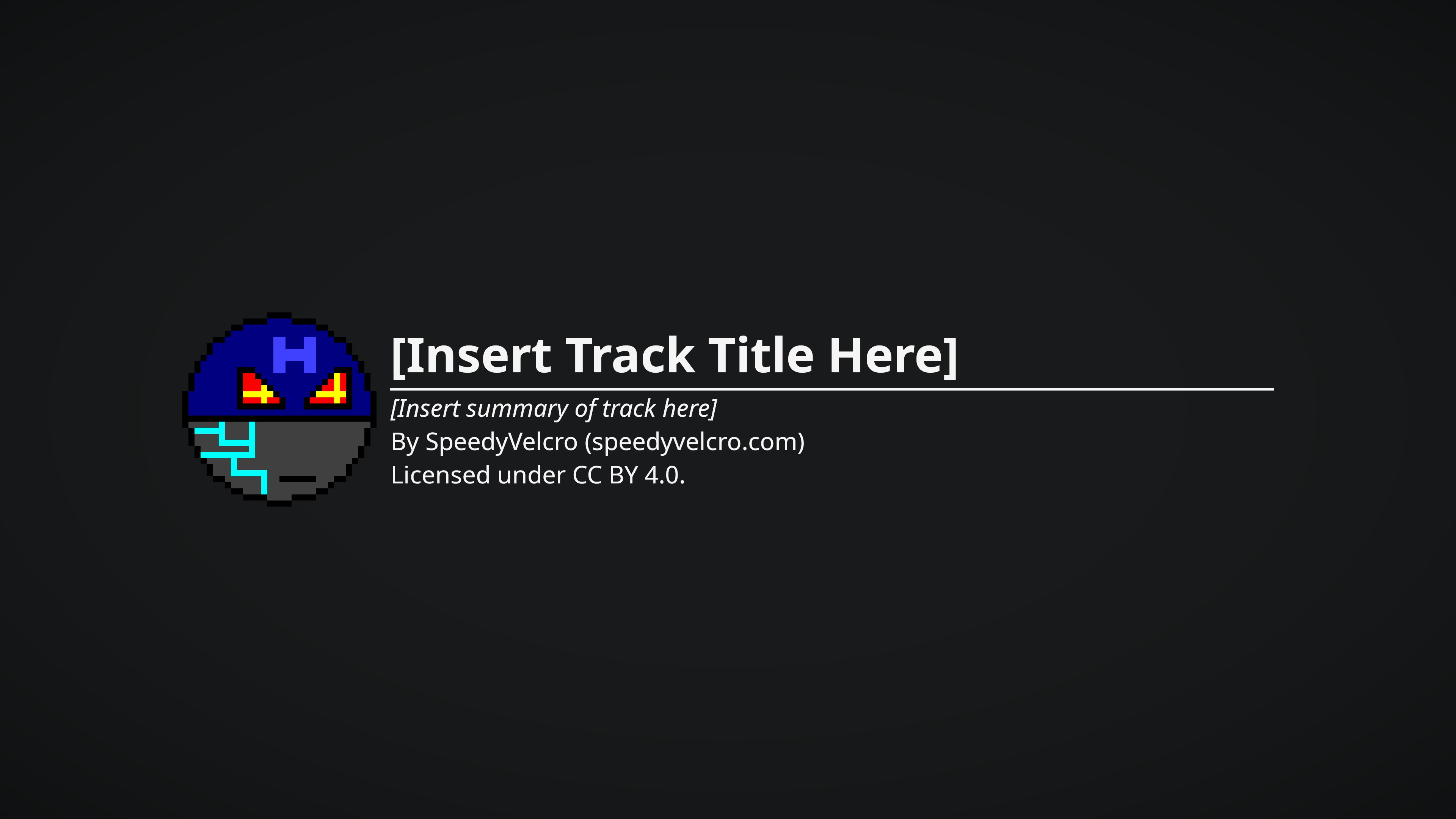
<p>So after a bit of faffing about with the align tool I created this
lovely image:</p>

<p><img src="/assets/images/blog/2025-09-24-youtube-uploads/video-background-vignette-banding.png" alt="Video background showing a vignette with banding" /></p>

<p>I’ve always liked the look of a vignette over a solid colour
background. It’s minimalistic and aesthetically pleasing in a way that
tickles my brain. But this is where the problems start, because what
sounds like a simple setup is actually a massive pain-in-the-ass to
get right.</p>

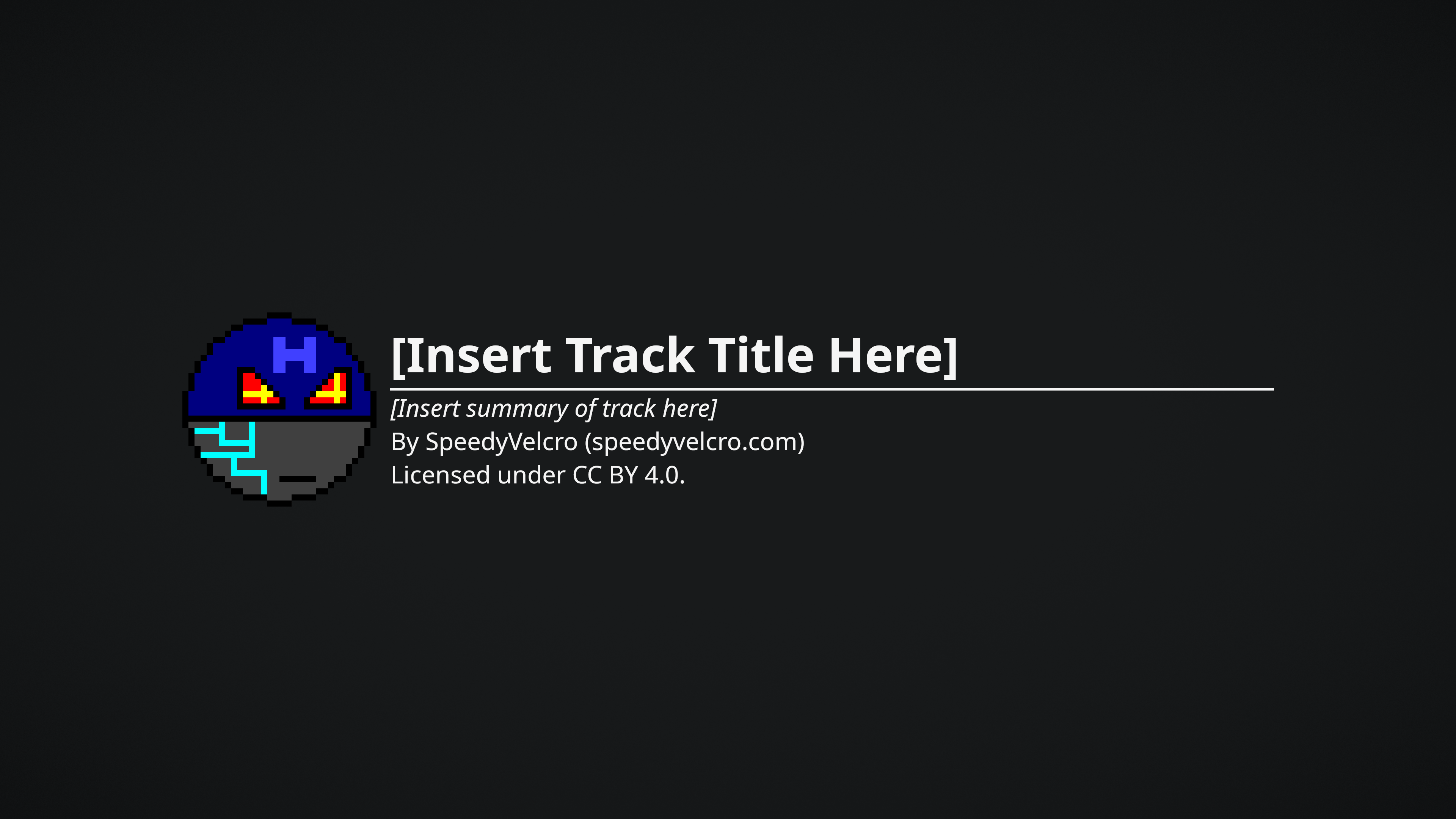
<p>First problem is the banding. This happens because the colour space of
the image doesn’t have enough shades of grey to show a smooth
transition, but it can be fixed by just applying a spread blur to the
vignette layer:</p>

<p><img src="/assets/images/blog/2025-09-24-youtube-uploads/video-background-vignette.png" alt="Video background showing a vignette with banding significantly reduced" /></p>

<p>Much better. Not perfect - you can still kind of see it if you stand
far enough away from the image - but I felt like it was good enough
for the time being (and by the time I’d noticed this I’d already
rendered out all my backgrounds and couldn’t be bothered to go back
and redo it).</p>

<p>So that’s it solved, right? Well not so my friend.</p>

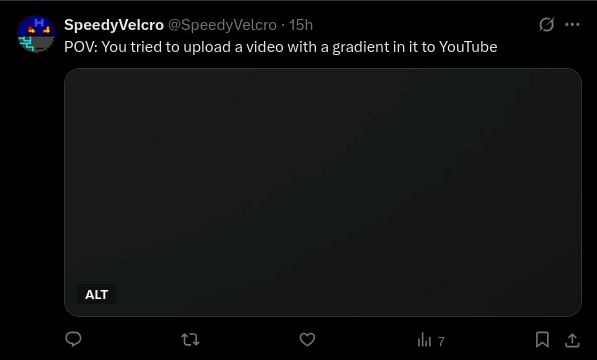
<p>When I uploaded the final video to YouTube the result was horrendous:</p>

<p><img src="/assets/images/blog/2025-09-24-youtube-uploads/vignette-banding-tweet.png" alt="
    Tweet containing a portion of a video screenshot showing severe
    banding artifacts. The tweet reads &quot;POV: You tried to upload a video
    with a gradient in it to YouTube&quot;
" /></p>

<div style="text-align: center;">
    (<a href="https://x.com/SpeedyVelcro/status/1970599226846650728" target="_blank" rel="noopener noreferrer">Tweet Source</a>)
</div>

<p>This is pretty much where the story ends unfortunately because
everything I tried didn’t work, including all the tips to reduce
banding that people suggest for YouTube uploads such as:</p>
<ul>
  <li>Adding a subtle noise to the entire video (idea being it tricks
YouTube to compress static areas less because it think there is
motion)</li>
  <li>Rendering in ProRes format</li>
  <li>Actually that’s all I can remember right now but I’m pretty sure
there are more things I tried</li>
</ul>

<p>It might be that this YouTube wisdom is more applicable to live-action
video. I think I have to accept that a smooth gradient or vignette
over a solid background just isn’t possible with YouTube’s compression.
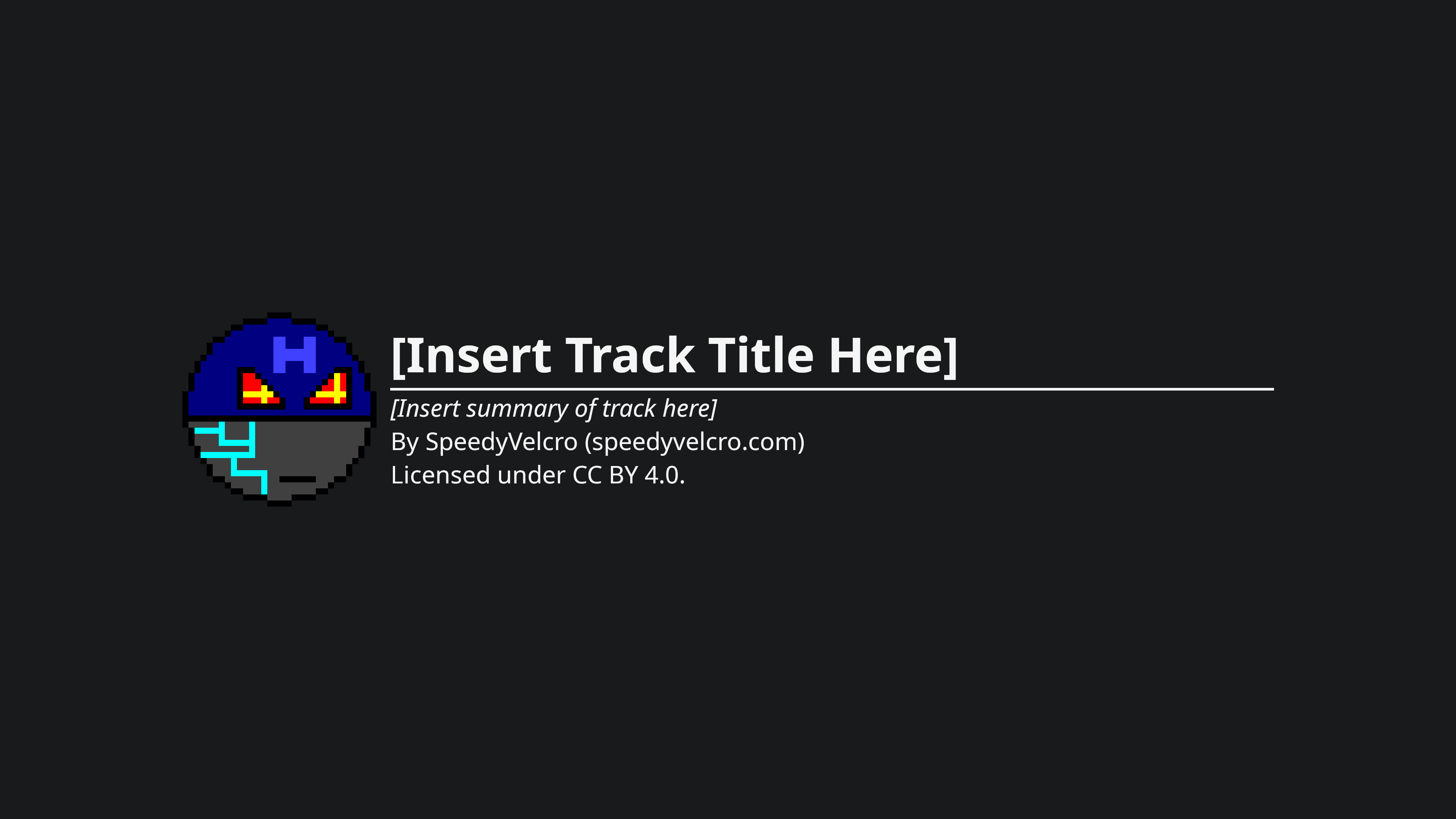
So in the end I just got rid of the vignette.</p>

<p><img src="/assets/images/blog/2025-09-24-youtube-uploads/video-background.png" alt="
    Video background without the vignette
" /></p>

<p>You can download the template <a href="https://filedn.eu/lQjIWV7eYltL9DHQ8vi1lqp/music/standalone/ancient-battlefield/Ancient%20Battlefield.flac">here</a>
(it also includes the vignette as an invisible layer). Licensed under
<a href="https://creativecommons.org/licenses/by/4.0/">CC BY 4.0</a> of course.</p>

<p>To be honest the no-vignette look has actually grown on me. And without
the banding, that actually gets my the “crisp and clean” look I was
going for in a way that survives YouTube compression.</p>

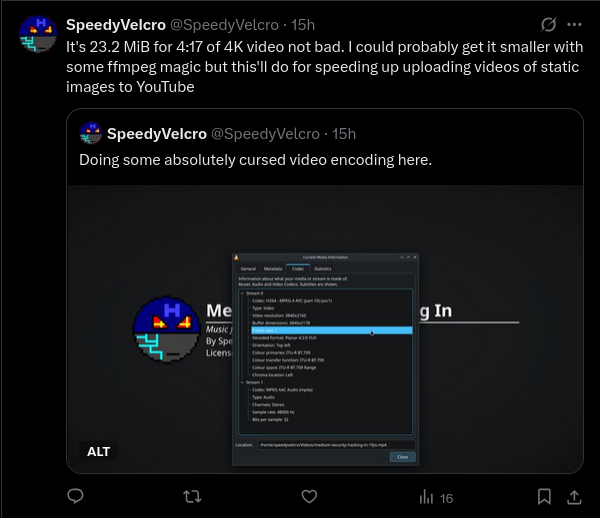
<p>As an aside, while I was doing this I found a neat trick that saves
time uploading your videos if they’re just a static images: render your
video at 1fps.</p>

<p><img src="/assets/images/blog/2025-09-24-youtube-uploads/cursed-video-encoding-tweet.png" alt="
    Quote tweet reading &quot;It's 23.2 MiB for 4:17 of 4K video not bad. I
    could probably get it smaller with some ffmpeg magic but this'll
    do for speeding up uploading videos of static images to YouTube&quot;.
    The subtweet reads &quot;Doing some absolutely cursed video encoding
    here.&quot; and has a screenshot of VLC's codec information window.
" /></p>

<div style="text-align: center;">
    (<a href="https://x.com/SpeedyVelcro/status/1970595858199781407" target="_blank" rel="noopener noreferrer">Tweet Source</a>)
</div>

<p>So that was disappointing. Not really any usable finding here, other
than the moral of the story being “don’t bother”. But hopefully this
article saves someone else several wasted hours of trying to upload
a gradient to YouTube.</p>

<p>Anyway, this is a long-ass blog post for such a rudimentary issue,
but the point is more to flex my blogging muscles and get into the
habit of documenting my processes. I’ll likely have more interesting
stuff upcoming. In particular, look out for upcoming blog posts on
my MIDI setup and on music composition in general.</p>]]></content><author><name>SpeedyVelcro</name></author><summary type="html"><![CDATA[Hi everyone, just short announcement to share that I’ve uploaded the missing single releases of music to my YouTube channel. See the playlist here. Rest of the blog will be a recounting of how I did this and the problems I ran into, since it might help anyone else trying to do the impossible (i.e. uploading a vignette onto YouTube).]]></summary></entry><entry><title type="html">Starting my Blog</title><link href="https://speedyvelcro.com/blog/2025/09/22/starting-my-blog/" rel="alternate" type="text/html" title="Starting my Blog" /><published>2025-09-22T19:13:00+00:00</published><updated>2025-09-22T19:13:00+00:00</updated><id>https://speedyvelcro.com/blog/2025/09/22/starting-my-blog</id><content type="html" xml:base="https://speedyvelcro.com/blog/2025/09/22/starting-my-blog/"><![CDATA[<p>Hi folks, just adding a blog to this site since I figured there was
a gaping blog-shaped hole on it that needed filling. I’ll be adding
posts as I work on stuff; I should have some stuff in the pipeline!</p>

<!--more-->

<p>By the way, this blog is RSS-enabled. You can access the RSS feed
<a href="/feed.xml">here</a>. (Well, technically it’s an atom feed, but
that’s more or less the same thing.)  Or if that sounds too complicated
for you, there’s always my
<a href="/social">social media accounts</a>. But I any time I make a
post it’s guaranteed to show up on the RSS feed, so that’s really the
best way.</p>]]></content><author><name>SpeedyVelcro</name></author><summary type="html"><![CDATA[Hi folks, just adding a blog to this site since I figured there was a gaping blog-shaped hole on it that needed filling. I’ll be adding posts as I work on stuff; I should have some stuff in the pipeline!]]></summary></entry></feed>